My dental insurance company got hacked recently. Several months later, I received the standard, corporate-apology letter in the mail notifying me that my Social Security number, home address, driver’s license, and health records were “exposed.”
To make up for handing my entire life to cybercriminals, they generously provided me with two years of free credit monitoring.
How thoughtful. For the next 24 months, I get front-row seats to watch my identity and credit rating get systematically dismantled in real time.
This is the reality of modern consumer tech. Will my insurance company face catastrophic penalties? Will their executives be held accountable? Will this breach force competing insurers to overhaul their laughable cybersecurity postures?
Nope.
The largest corporations view these breaches as an acceptable cost of doing business. Some are deemed “too big to fail” and won’t face any meaningful consequences at all.
IDScan.net is the latest poster child for this system. And yes, your driver’s license was probably in their database, too.
FIVE MONTHS IN THE VAULT
PCMag reports that identity verification provider IDScan.net suffered an intrusion where an unauthorized third party maintained access to their systems from April to September.
Five months.
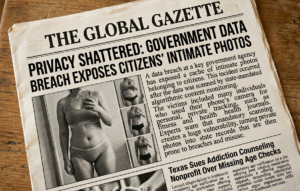
For nearly half a year, a threat actor had unrestricted access to a centralized repository containing over 153 million driver’s licenses.
We hand over our state-issued credentials to car rental desks, pharmacies, hotels, and retail counters under the illusion that an automated age or identity check is occurring. We have zero say in which backend cloud vendor processes that data. The government and private sector routinely force us into these verification systems, and the penalty when a vendor lets a hacker lounge in their database for five straight months?
A slap on the wrist and a corporate PR statement. Maybe 2 years of credit monitoring.
THE REALITY: YOU CANNOT OPT OUT
Your information is already out there. Your healthcare provider was hacked. Your insurance carrier was hacked. Your auto manufacturer was hacked. Your email provider was hacked.
Everyone’s sensitive data has been leaked, and opting out is functionally impossible. You can’t skip out on having auto insurance, you can’t refuse to see a doctor, and you can’t prevent a car rental desk or hotel clerk from running your driver’s license through a third-party pipeline.
How did IDScan.net discover they were harboring an active intruder? They didn’t. They found out because the cybersecurity community caught them red-handed.
THE TIMELINE OF A VENDOR DISASTER
- Late August 2026: A Russian cybercrime forum launches “Nexus,” a dark web shop advertising 153 million exfiltrated North American driver’s licenses.
- August 31, 2026: Investigative reporter Brian Krebs is alerted to Nexus after the hackers list his own Virginia driver’s license as a free sample.
- August 31 – September 1, 2026: Forensics trace record timestamps directly to IDScan.net clients, including Hertz counter rentals and Planet13 dispensaries.
- September 1, 2026: Krebs contacts IDScan.net for comment and briefs the FBI Cyber Division, prompting an official federal probe.
- September 4, 2026: IDScan.net releases a hedged notice admitting an unauthorized party “may have accessed” customer account data.
- September 10, 2026: IDScan.net confirms the breach publicly.
The Bottom Line: IDScan.net didn’t catch the intrusion using their internal SOC or endpoint detection tools. They found out because a journalist called their PR team to ask why his driver’s license was being sampled on a Russian forum.
WEAPONIZED DOSSIERS
“The record featuring my drivers license includes six image files: three pairs of photos of the license’s front and back, a basic image scan, as well as infrared and ultraviolet versions of the same images. A date and timestamp is appended to each image file…”
Nexus isn’t just selling an image of your driver’s license. They are selling situational intelligence.
They have record logs showing flights you took, vehicles you rented, retail returns you processed, hotels you stayed at, dispensaries you visited, casinos you entered, and bank accounts you opened during online onboarding.
If a threat actor wants to target you, they don’t need to guess your habits. They can purchase your complete IDScan.net dossier off the dark web. They know where you live, where you’ve traveled, and what services you use. They can call you up, pose as a legitimate business you visited, and construct a flawless social engineering attack to breach your bank accounts.
WHY THE HELL ARE THEY KEEPING THIS DATA?
Here’s the part of this story that bothers me almost as much as the breach itself:
Why did they have all of this data in the first place?
I don’t have an IDScan.net account.
I might not have even heard of IDScan.net if I wasn’t in this industry.
I didn’t agree to let IDScan.net build a historical record of my identity.
All I wanted to do was rent a car on vacation. Or buy a bottle of wine for a dinner party.
I presented my driver’s license because a business needed to verify who I was or how old I was. I did not knowingly consent to some random company I’ve never heard of retaining high-resolution copies of my government-issued identification, along with timestamps of my movements and other information, potentially for months or years.
And here’s the part that really pisses me off: This isn’t necessarily unavoidable.
IDScan.net’s own documentation describes controls for deciding what information gets collected and how long records are retained. Their system can be configured to collect no data, anonymized data, selected data, or all data. It also provides configurable retention periods.
So the technology exists to not keep everything, yet here we are. A hacker didn’t just steal a driver’s license someone scanned yesterday. They gained access to a historical collection of identity records that had been sitting around long enough to become incredibly valuable intelligence.
And that’s the fundamental problem with modern data collection. Companies keep information simply because they can, and it’s valuable.
The question shouldn’t be:
“Can we store this?”
It should be:
“Do we actually need to store this?”
When I design data infrastructure for my clients, this is one of the principles I push hardest. Don’t keep information you don’t need. If you only need to verify someone’s age, store that the age verification passed. You don’t necessarily need to keep a permanent copy of their driver’s license. If you need to process a credit card, use a payment processor like Stripe rather than turning your client’s server into a warehouse full of cardholder data.
If you don’t need a customer’s information anymore, delete it. The less sensitive information you retain, the less sensitive information an attacker can steal. That’s not just a privacy philosophy. It’s basic cybersecurity. We spend enormous amounts of time talking about stronger firewalls, better encryption, MFA, endpoint detection, zero-trust architecture, blah blah blah. All of that is important.
But sometimes the best security control is much simpler:
Don’t have the f*cking data.
Because the most secure driver’s license in your database is the one you deleted six months ago. And the most secure customer dossier is the one your company never created in the first place.
ZERO TRUST SURVIVAL GUIDE
How do you protect yourself when every company holding your data is a sitting duck?
You can’t stop third-party vendors from getting breached and you can’t opt-out. All you can do is assume your data is completely public and operate under a strict Zero Trust mindset.
When advising my clients, I lay down these non-negotiable rules:
1. The “Inbound Call Freeze” Rule
- The Threat: Scammers call posing as your bank, insurance company, or a government agency. To build trust, they read off your driver’s license number, account number, purchase history, exact address, or date of birth.
- The Rule: Never trust identity validation on an inbound call. If someone calls you, hung up immediately. That data is already public. Call the official number printed on the back of your card or official portal.
2. Lock Down Your Carrier (Port-Out & SIM Swap Protection)
- The Threat: Attackers present your leaked driver’s license details to your mobile carrier to hijack your phone number onto a rogue SIM card, bypassing SMS two-factor authentication.
- The Rule: Contact your cellular provider today and demand a Verbal Port-Out PIN. Ensure it is not derived from your address, DOB, or license number.
3. Establish Verbal Passwords with Financial Institutions
- The Threat: Banks frequently rely on legacy Knowledge-Based Authentication (KBA)—asking for your address, DOB, or license number to verify your identity over the phone.
- The Rule: Set up a custom verbal passphrase with your bank that is required for any phone-based account changes or wire transfers. Move away from SMS 2FA in favor of hardware keys (like YubiKeys) or authenticator apps.
4. Treat “Security Questions” Like Secondary Passwords
- The Threat: “What street did you grow up on?” or “What is your mother’s maiden name?” can be easily mapped out using breached address histories and public records.
- The Rule: Never answer security questions truthfully. Treat the answer field as a secondary password and store a random alphanumeric string (e.g.,
xK9#mL2$vP) in your password manager.
5. Freeze Your Credit Across All Bureaus
- The Threat: High-resolution scans of state IDs paired with your full legal profile allow fraudsters to open fraudulent credit cards and lines of credit in minutes.
- The Rule: Freeze your credit files directly with Experian, Equifax, TransUnion, Innovis, and ChexSystems. It’s free by law and prevents anyone from opening accounts in your name until you manually unfreeze them.
TRUST NO ONE, NOT EVEN CUSTOMER SUPPORT
Even when you call support yourself, remain guarded about what you disclose. Insider threats are very real. I refuse verification checks that involve my social security number.
Look at the Trend Micro breach: a rogue employee inside their customer support department abused internal system access to steal logs and support tickets from tens of thousands of home users, selling that database directly to tech support scammers.
Scammers then cold-called users, reading off their exact internal support ticket numbers, full names, and software license keys to prove they were “legitimate.” Believing the callers were authentic support agents, customers granted remote desktop access, allowing scammers to install malware and drain their bank accounts.
Assume your data is out there, and verify every interaction you have.